chevron-up
chevron-left
chevron-down
chevron-right
function initGallery() {
return {
activeItem: 0,
activeVideo: false,
itemIsVideo: false,
itemCount: 0,
fullscreen: false,
focusTrapListener: null,
loop: true,
isStart: true,
isEnd: false,
videoOptions: {
autoplay: false,
loop: false,
showRelated: false,
allowApi: false
},
swipeStart: 0,
swipeDir: "x",
autoplayId: null,
autoplayDelay: 5000,
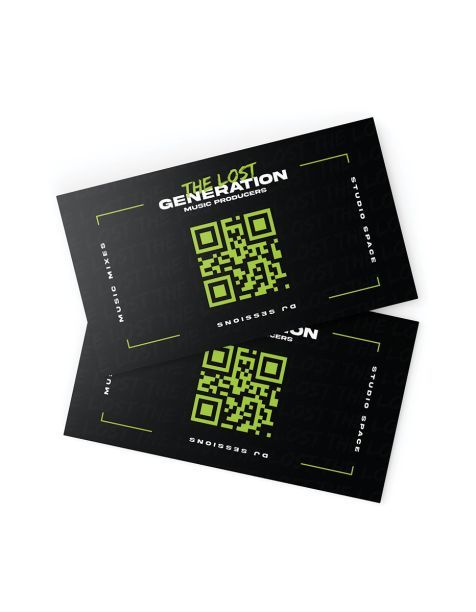
initialImages: [{"thumb":"https:\/\/aura-print.com\/media\/catalog\/product\/cache\/bc306be298285cf9d7855abd674089c9\/a\/p\/ap_business_cards_qr_code_duo_1.jpg","img":"https:\/\/aura-print.com\/media\/catalog\/product\/cache\/e3750db8823e031f2cbaf8ab4056eb7b\/a\/p\/ap_business_cards_qr_code_duo_1.jpg","full":"https:\/\/aura-print.com\/media\/catalog\/product\/cache\/9b93d049b5b8552c1f07c08f534e7a72\/a\/p\/ap_business_cards_qr_code_duo_1.jpg","caption":"Business Cards QR Code Duo\r\n","position":"9","isMain":true,"type":"image","videoUrl":null},{"thumb":"https:\/\/aura-print.com\/media\/catalog\/product\/cache\/bc306be298285cf9d7855abd674089c9\/a\/p\/ap_business_cards_qr_code_fan_1.jpg","img":"https:\/\/aura-print.com\/media\/catalog\/product\/cache\/e3750db8823e031f2cbaf8ab4056eb7b\/a\/p\/ap_business_cards_qr_code_fan_1.jpg","full":"https:\/\/aura-print.com\/media\/catalog\/product\/cache\/9b93d049b5b8552c1f07c08f534e7a72\/a\/p\/ap_business_cards_qr_code_fan_1.jpg","caption":"Business Cards QR Code Fan\r\n","position":"10","isMain":false,"type":"image","videoUrl":null},{"thumb":"https:\/\/aura-print.com\/media\/catalog\/product\/cache\/bc306be298285cf9d7855abd674089c9\/a\/p\/ap_business_cards_qr_code_stack_1.jpg","img":"https:\/\/aura-print.com\/media\/catalog\/product\/cache\/e3750db8823e031f2cbaf8ab4056eb7b\/a\/p\/ap_business_cards_qr_code_stack_1.jpg","full":"https:\/\/aura-print.com\/media\/catalog\/product\/cache\/9b93d049b5b8552c1f07c08f534e7a72\/a\/p\/ap_business_cards_qr_code_stack_1.jpg","caption":"Business Cards QR Code Stack","position":"11","isMain":false,"type":"image","videoUrl":null}],
images: [{"thumb":"https:\/\/aura-print.com\/media\/catalog\/product\/cache\/bc306be298285cf9d7855abd674089c9\/a\/p\/ap_business_cards_qr_code_duo_1.jpg","img":"https:\/\/aura-print.com\/media\/catalog\/product\/cache\/e3750db8823e031f2cbaf8ab4056eb7b\/a\/p\/ap_business_cards_qr_code_duo_1.jpg","full":"https:\/\/aura-print.com\/media\/catalog\/product\/cache\/9b93d049b5b8552c1f07c08f534e7a72\/a\/p\/ap_business_cards_qr_code_duo_1.jpg","caption":"Business Cards QR Code Duo\r\n","position":"9","isMain":true,"type":"image","videoUrl":null},{"thumb":"https:\/\/aura-print.com\/media\/catalog\/product\/cache\/bc306be298285cf9d7855abd674089c9\/a\/p\/ap_business_cards_qr_code_fan_1.jpg","img":"https:\/\/aura-print.com\/media\/catalog\/product\/cache\/e3750db8823e031f2cbaf8ab4056eb7b\/a\/p\/ap_business_cards_qr_code_fan_1.jpg","full":"https:\/\/aura-print.com\/media\/catalog\/product\/cache\/9b93d049b5b8552c1f07c08f534e7a72\/a\/p\/ap_business_cards_qr_code_fan_1.jpg","caption":"Business Cards QR Code Fan\r\n","position":"10","isMain":false,"type":"image","videoUrl":null},{"thumb":"https:\/\/aura-print.com\/media\/catalog\/product\/cache\/bc306be298285cf9d7855abd674089c9\/a\/p\/ap_business_cards_qr_code_stack_1.jpg","img":"https:\/\/aura-print.com\/media\/catalog\/product\/cache\/e3750db8823e031f2cbaf8ab4056eb7b\/a\/p\/ap_business_cards_qr_code_stack_1.jpg","full":"https:\/\/aura-print.com\/media\/catalog\/product\/cache\/9b93d049b5b8552c1f07c08f534e7a72\/a\/p\/ap_business_cards_qr_code_stack_1.jpg","caption":"Business Cards QR Code Stack","position":"11","isMain":false,"type":"image","videoUrl":null}],
startAutoplay() {
this.autoplayId = setInterval(() => {
if (typeof this.nextItem === 'function') {
this.nextItem();
}
}, this.autoplayDelay);
},
stopAutoplay() {
if (this.autoplayId) {
clearInterval(this.autoplayId);
this.autoplayId = null;
}
},
init() {
this.itemCount = this.images.length;
this.initActive();
this.$watch('activeItem', (item) => {
this.itemIsVideo = this.images[item].type === 'video';
this.activeVideo = this.itemIsVideo && this.videoOptions.autoplay;
this.isStart = this.activeItem === 0;
this.isEnd = this.activeItem === (this.itemCount - 1);
this.$nextTick(() => {
const activeThumb = this.getActiveThumb();
if (activeThumb) {
//this.scrollTo(activeThumb);
};
});
});
this.$watch('itemCount', () => {
this.calcThumbsOverflow()
});
this.$watch('fullscreen', (open) => {
this.$nextTick(() => {
this.scrollLock(open);
this.tabLock(this.$refs.galleryDialog, open);
})
})
this.startAutoplay();
this.$root.addEventListener('mouseenter', () => this.stopAutoplay());
this.$root.addEventListener('mouseleave', () => this.startAutoplay());
},
getImage() {
return this.fullscreen ? this.image.full : this.image.img;
},
typeIsVideo() {
return this.image.type === 'video';
},
isActive() {
return this.activeItem === this.index;
},
isActiveVideo() {
return this.activeVideo = true;
},
isActiveAndVideo() {
return this.isActive() && this.activeVideo
},
notActiveVideo() {
return !this.activeVideo;
},
itemIsNotVideo() {
return !this.itemIsVideo;
},
itemIsVideoAndNotActive() {
return this.itemIsVideo && !this.activeVideo;
},
scrollLock(use = true) {
document.body.style.overflow = use ? "hidden" : "";
},
tabLock(target, use = true) {
if (use) {
hyva.trapFocus(target);
} else {
hyva.releaseFocus(target);
}
},
nextItem() {
const hasNext = this.activeItem < (this.itemCount - 1);
this.activeItem = hasNext
? this.activeItem += 1
: this.loop ? 0 : this.activeItem;
},
prevItem() {
const hasPrev = this.activeItem > 0;
this.activeItem = hasPrev
? this.activeItem -= 1
: this.loop ? (this.itemCount - 1) : this.activeItem;
},
swipeItem(event) {
if (this.swipeStart === 0) return;
const swipeEnd = this.getTouchPosition(event);
if (Math.abs((swipeEnd - this.swipeStart)) < 40) return;
if (this.swipeStart > swipeEnd) {
this.nextItem();
} else {
this.prevItem();
}
this.swipeStart = 0;
},
getVideoData() {
const videoUrl = this.image.videoUrl;
const videoData = {
id: null,
type: null,
src: null,
additionalParams: "&autoplay=1",
allow: "fullscreen; picture-in-picture; autoplay;"
}
if (!videoUrl) {
return videoData;
};
if (this.videoOptions.loop) {
videoData.additionalParams += '&loop=1';
}
if (videoUrl.match(/youtube\.com|youtu\.be|youtube-nocookie.com/)) {
const youtubeRegex = /^.*(?:(?:youtu\.be\/|v\/|vi\/|u\/\w\/|embed\/)|(?:(?:watch)?\?v(?:i)?=|\&v(?:i)?=))([^#\&\?]*).*/;
const baseSrc = videoUrl.match(/youtube-nocookie.com/)
? 'https://www.youtube-nocookie.com/embed'
: 'https://www.youtube.com/embed';
videoData.type = "youtube";
videoData.id = videoUrl.match(youtubeRegex)[1];
// If rel=0 it only shows related for the channel not external
videoData.additionalParams += (this.videoOptions.showRelated ? '&rel=1' : '&rel=0');
if (this.videoOptions.loop) {
videoData.additionalParams += `&playlist=${videoData.id}`
}
if (this.videoOptions.allowApi) {
videoData.additionalParams += '&enablejsapi=1';
}
videoData.src = `${baseSrc}/${videoData.id}?origin=https://aura-print.com/uk/${videoData.additionalParams}`;
videoData.allow += " accelerometer; clipboard-write; encrypted-media; gyroscope;"
} else if (videoUrl.match(/vimeo\.com/)) {
const vimeoRegex = new RegExp([
'https?:\\/\\/(?:www\\.|player\\.)?vimeo.com\\/(?:channels\\/(?:\\w+\\/)',
'?|groups\\/([^\\/]*)\\/videos\\/|album\\/(\\d+)\\/video\\/|video\\/|)(\\d+)(?:$|\\/|\\?)'
].join(''));
const timestamp = new Date().getTime();
const baseSrc = "https://player.vimeo.com/video";
videoData.type = "vimeo";
videoData.id = videoUrl.match(vimeoRegex)[3];
if (this.videoOptions.allowApi) {
videoData.additionalParams += "&api=1"
}
videoData.src = `${baseSrc}/${videoData.id}?player_id=vimeo${videoData.id}${timestamp}${videoData.additionalParams}`;
}
return videoData;
},
getTouchPosition(event) {
const position = this.swipeDir === "y"
? event.changedTouches[0].clientY
: event.changedTouches[0].clientX;
return Math.round(position);
},
isSwipeGesture(event) {
return event.touches.length !initialUrls.includes(image.full));
this.images = [].concat(this.initialImages, newImages);
this.activeItem = newImages.length ? this.initialImages.length : 0;
this.itemCount = this.images.length;
},
resetGallery() {
this.images = this.initialImages;
this.itemCount = this.images.length;
this.initActive();
},
initActive() {
const mainImg = this.images.findIndex(image => image.isMain === true);
this.activeItem = mainImg === -1 ? 0 : mainImg;
},
eventListeners: {
['@keydown.window.escape']() {
this.fullscreen = false;
},
['@update-gallery.window'](event) {
this.receiveImages(event.detail);
},
['@reset-gallery.window']() {
this.resetGallery();
},
},
galleryBody: {
['@touchstart.passive'](event) {
this.swipeStart = this.isSwipeGesture(event)
? this.getTouchPosition(event)
: 0;
},
['@touchend.passive'](event) {
if (!this.isSwipeGesture(event)) return;
this.swipeItem(event);
},
},
galleryThumbs: {
['x-init']() {
this.$nextTick(() => this.calcThumbsOverflow());
},
['@resize.window.debounce']() {
this.calcThumbsOverflow();
}
},
galleryClasses() {
return {
'z-50 fixed inset-0 w-screen max-w-[min(1280px,(100%_-_2rem))] max-h-[min(1024px,(100%_-_2rem))] m-auto': this.fullscreen,
'relative': !this.fullscreen
}
},
firstImageClasses() {
return 'invisible';
},
imageWrapperFullscreenClasses() {
return { 'p-4 sm:p-8': this.fullscreen };
},
imageFullscreenClasses() {
return { 'w-auto': this.fullscreen };
},
hasMultipleImages() {
return this.images.length > 1;
},
isAtStart() {
return !this.loop && this.isStart;
},
isAtEnd() {
return !this.loop && this.isEnd;
},
imageCaption() {
return this.image.caption || 'QR\u0020Code\u0020Business\u0020Card\u0020Printing';
},
showCaption() {
return (this.image.type === 'image')
&& this.image.caption
&& (this.image.caption !== 'QR\u0020Code\u0020Business\u0020Card\u0020Printing');
},
notFullscreen() {
return !this.fullscreen;
},
openFullscreen() {
this.fullscreen = true;
},
closeFullscreen() {
this.fullscreen = false;
},
fullscreenRole() {
return this.fullscreen ? 'dialog' : false;
},
fullscreenLabel() {
return this.fullscreen ? 'Fullscreen\u0020Gallery' : false;
},
maskOverflowClasses() {
const noMask = 'mask-overflow-start mask-overflow-end';
const sliderMask = {
'mask-overflow-end': this.thumbsStart,
'mask-overflow-start': this.thumbsEnd
};
return this.thumbsOverflow ? sliderMask : noMask;
},
thumbsOverflow: false,
thumbsStart: true,
thumbsEnd: true,
scrollTo(target) {
target.scrollIntoView({
behavior: "smooth",
block: "nearest",
inline: "nearest"
});
},
thumbIsActive() {
return this.activeItem === this.index;
},
setThumbActive() {
return this.activeItem = this.index;
},
thumbClasses() {
return {
'group-focus:border-gray-400': this.activeItem === this.index,
'border-transparent': this.activeItem !== this.index
}
},
setThumbLabel() {
return hyva.str('View %1', this.image.caption) || 'View\u0020\u00251';
},
getActiveThumb() {
return this.$refs.jsThumbSlides.querySelector('button[aria-current="true"]');
},
thumbsOverflowNotAtStart() {
return this.thumbsOverflow && !this.thumbsStart;
},
thumbsOverflowNotAtEnd() {
return this.thumbsOverflow && !this.thumbsEnd;
},
isThumbInView(action = "leave") {
const isFirst = this.index === 0;
const isLast = this.index === (this.itemCount - 1);
if (isFirst) {
this.thumbsStart = (action === "enter");
}
if (isLast) {
this.thumbsEnd = (action === "enter");
}
},
isThumbInViewEnter() {
this.isThumbInView("enter")
},
isThumbInViewLeave() {
this.isThumbInView("leave")
},
calcThumbsOverflow() {
const thumbs = this.$refs.jsThumbSlides;
if (!thumbs) return;
const { scrollWidth, scrollHeight, offsetWidth, offsetHeight } = thumbs;
const hasOverflow = scrollHeight > scrollWidth
? scrollHeight > offsetHeight
: scrollWidth > offsetWidth;
this.thumbsOverflow = hasOverflow;
},
}
}
window.addEventListener('alpine:init', () => Alpine.data('initGallery', initGallery), {once: true})
QR Code Business Card Printing
Business card with QR code printing is a fast and efficient marketing method
Get your QR code business card design printed on premium papers
There is design support available for your QR code business cards
-
SKU
-
business-cards-qr-ap-uk